Buying Crypto on fomo With Apple Pay or a Debit Card
Table of Contents
 You can fund the fomo app with the same card you already use for everything else, without opening an exchange account first. That is the part people notice, and it's also the part that makes the fee math worth reading before you start tapping buy. Here's how the flow works and what to check.
Card and Apple Pay funding takes you from no crypto at all to a first token without a separate exchange account. The tradeoff isn't the payment method. It's that easy funding makes small, frequent purchases easy too, and small purchases are the ones fomo's Solana bands hit hardest: help.fomo.family, checked 2026-08-20, charges 2% of the order between 5 and 47.50 USDC, which on a $10 buy is four times the 0.50% headline.
How does Apple Pay work in the fomo app?
Open the deposit screen
From the fomo app, tap to add funds. You'll see options including Apple Pay, debit card, and crypto transfer.
Choose Apple Pay or enter your card
Apple Pay uses the card already saved to your device, which is the fastest option if you have it set up. Otherwise, enter your debit card details directly. Either way the payment is processed by the card network and payment processor behind it, not by fomo.
Confirm the amount and any fee shown
Before completing the purchase, read the total on the confirmation screen. Any card-network or processor charge, if one applies to your card, shows up there alongside fomo's own trading fee.
Funds land in your fomo wallet
Once the purchase clears, the funds are available in the wallet created for you at signup, ready to trade with.
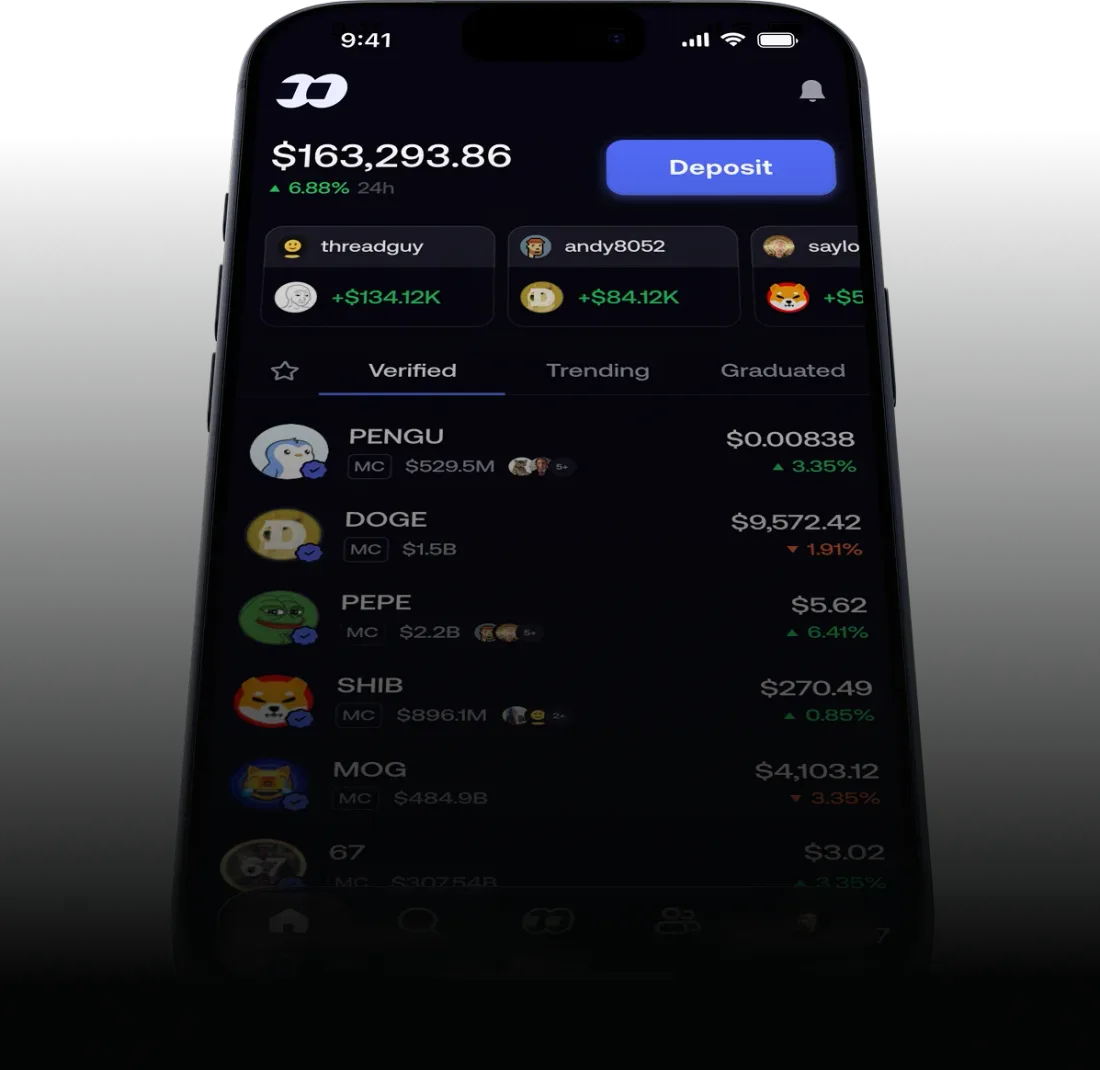
Source: fomo, official product image
This page is the setup walkthrough. If the payment has already been tried and did not go through, the answer is not here: if the Apple Pay payment fails, the dedicated page works through the five causes fomo documents, including the card types it rejects, the daily cap and the cooldown after repeated attempts.
What does it cost to fund fomo with a card?
fomo's published fee schedule (0.50% standard, Solana priced in four bands by order size below 190 USDC, 0.05% on select major tokens, per help.fomo.family, checked 2026-08-20) does not call out a surcharge specifically for Apple Pay or a card.
See the full breakdown for how those rates play out at each trade size.
What that schedule doesn't cover is the payment leg. Card purchases can carry costs set by your issuer, the card network, or the processor, and none of those parties publish a single rate that applies to everyone. Some issuers also code crypto purchases differently from ordinary retail spending.
The one number that accounts for all of it is the total on the confirmation screen right before you complete the purchase, so read it, particularly on a first transaction with a new payment method.
Small first purchase? Expect the minimum fee to bite
If you're testing the app with a small first purchase, say $10 or $20, remember that on  Solana, fomo's published schedule charges 2% of the order between 5 and 47.50 USDC rather than its 0.50% headline (help.fomo.family, checked 2026-08-20). A $10 test buy costs $0.20 in fees, and a $20 one $0.40, both at 2%. That isn't specific to Apple Pay or card purchases, since it applies the same way to a crypto transfer, but it's worth knowing before your first tap. See the full fee math for every scenario.
Why does the funding method change what a trade costs?
Card and Apple Pay funding is what separates fomo in practice from a typical  crypto exchange, where the usual route runs through a separate account, a bank link, and a wait before the first trade. Cutting that out is genuinely useful if you're new to crypto.
It also changes your behavior: when funding takes one tap, the natural pattern is several small purchases rather than one larger one, and several small purchases is exactly the pattern that flat minimum charges the most for.
Ten $10 buys pay $2.00 in the 2% band, where a single $100 buy pays a flat $0.95 (help.fomo.family, checked 2026-08-20).
Reading the fee page once, before the habit forms, is worth more than reading it after.
Buy your first token
Sign up through our link and get a 10% discount on trading fees per fomo's referral terms.
Get the fomo appRelated reading
- How to trade on fomo is the full first-order walkthrough
- fomo Fees Explained has the complete fee schedule, worked out in dollars
- fomo wallet: deposits and withdrawals compares every funding method
- Why Is Apple Pay Not Working on fomo? covers the card types fomo rejects, the $2,500 daily cap and the one-hour cooldown
Frequently Asked Questions
Yes. A wallet is created for you at signup on key infrastructure from Privy, the third-party provider fomo names in its terms of service, so you can fund it and buy a token with Apple Pay or a debit card without having used crypto before. The payment leg itself is handled by payment processors and card networks, the same rails as any other card purchase.
fomo's published fee schedule at help.fomo.family, checked 2026-08-20, does not list a separate card or Apple Pay surcharge on top of its standard trading fee. That schedule is 0.50% per trade, with Solana priced in four bands by order size instead: a flat 0.10 USDC under 5 USDC, 2% from 5 to 47.50 USDC, a flat 0.95 USDC from 47.50 to 190 USDC, then 0.50%. Card networks, payment processors and your own bank set their own charges, and those are outside fomo's schedule, so the number that tells you what a purchase costs is the total on the confirmation screen. Check it before completing the purchase, especially the first time with a new card.
Usually the other way around. A card or Apple Pay purchase is normally the quickest route to a first balance, because a crypto transfer assumes you already hold funds in another wallet or exchange account and have moved them on the right network.
FomoAppGuide is an independent, unofficial resource. It is not affiliated with, produced by, reviewed by, endorsed by, or sponsored by FOMO Labs, Inc., the company behind the fomo app. "fomo" and all related names, logos, and marks belong to their respective owners and are used here only to identify and comment on the products this site covers. For anything official, go to fomo.family. Full disclaimer.
Disclaimer: Nothing here is legal, tax, financial, or investment advice, and none of it is a recommendation to trade. Trading crypto carries real risk of total loss. Whether a product is lawful, how a trade is taxed, and what is available where all vary by jurisdiction and change over time. Check the primary sources, read the platform's own terms, and speak to a qualified professional before acting on anything you read on this site. Trading memecoins in particular involves substantial risk of loss, and most of them go to zero. Past performance is not indicative of future results. This site contains referral links: signing up through our referral link earns us a share of the trading fee you pay, at no extra cost to you, and gives you a permanent 10% discount on your own trading fee.
Ready to Start Trading?
Sign up to fomo through our link and your trading fee is permanently 0.45% instead of 0.50%.
Get 10% off fomo fees