fomo Wallet: How to Deposit and Withdraw Your Money
Table of Contents
 Getting money into fomo is the easy part, which is the whole pitch of the app. Getting the details right on deposits, and understanding what "your wallet" means here, is worth five minutes before you move real money.
fomo's help center describes your wallet key as split into shares distributed across parties, so that no single one of them, fomo included, holds enough to rebuild it. Day to day, the wallet is still created and operated for you inside the app, on third-party key infrastructure from Privy. That middle ground is worth understanding, and fomo's terms spell out that it changes the moment you export the key.
How do you put money in?
Before any of it, it is worth reading whether fomo is safe to hold funds in, which goes through how the wallet key is handled and what fomo's terms say changes when you export it.
Apple Pay or debit card
The fastest option if you're starting from zero. Tap deposit, choose your card or Apple Pay, and confirm the amount. The payment runs on standard card rails through payment processors and card networks, so your issuer may treat it like any other card purchase. This is the flow most people use for their first buy on the app.
Transfer crypto you already hold
If you have USDC or another supported asset in an existing wallet or exchange account, you can send it to your fomo wallet address. Confirm you're sending on the correct network first. Sending a Solana-network token to a Base address, for example, can put the transfer somewhere nobody can retrieve it from.
Check which costs are covered
Per fomo's published fee documentation at help.fomo.family (checked 2026-08-08), fomo covers gas, priority fees, and the one-time Solana token rent on Solana, Base, BNB Chain and Monad, so the amount you deposit is close to the amount you can trade with. Ethereum is the exception in that same documentation: deposits and withdrawals there carry network gas on top.
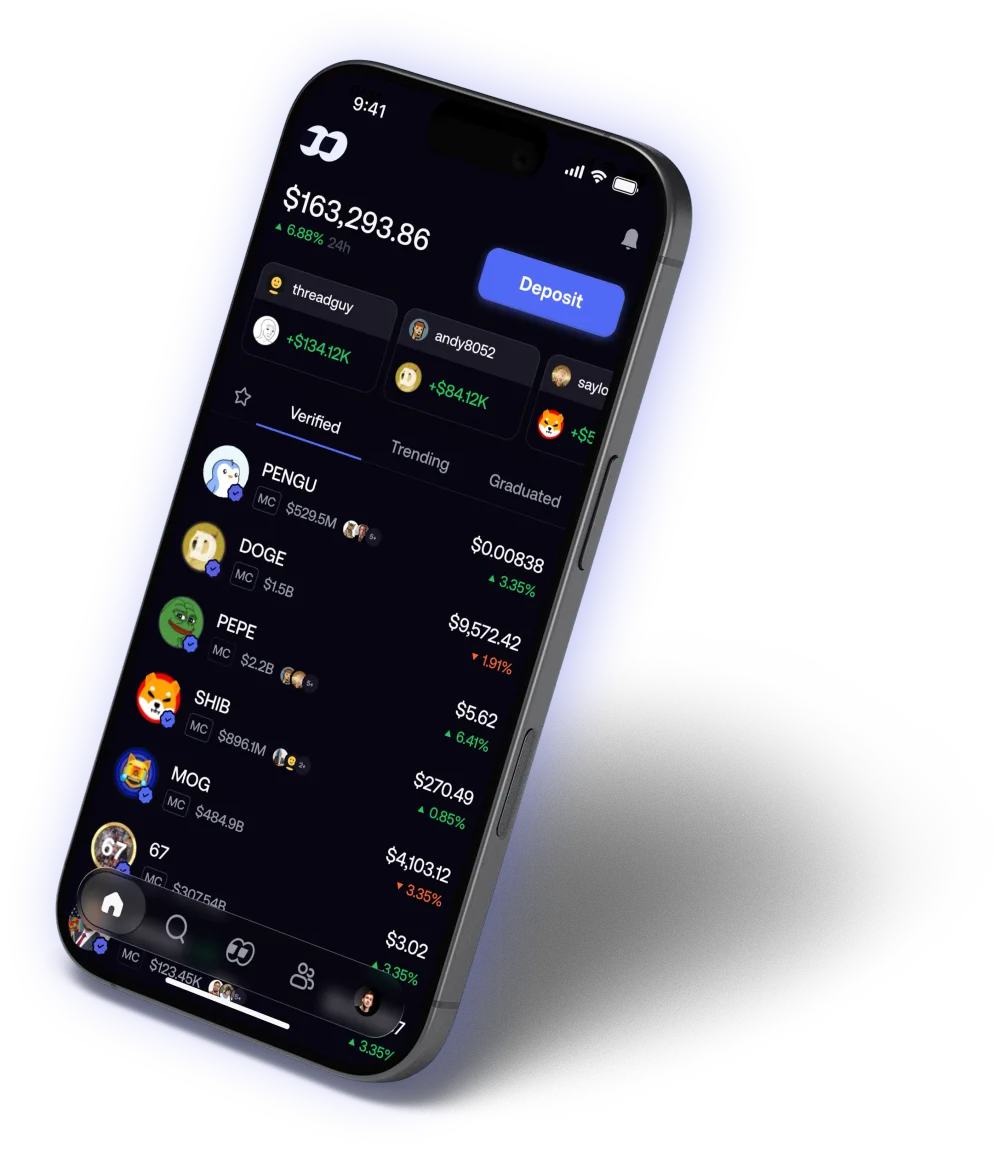
Source: fomo, official product image
Who actually holds your key?
Your wallet's key is generated through a third-party provider called  Privy, which fomo names in its terms of service. Per fomo's help center, the key is split into multiple shares and distributed so that no single party, including fomo, holds enough of it to reconstruct your wallet on its own. That description is the company's, not an audit result, and neither we nor most users are in a position to inspect the implementation. It does tell you what fomo is committing to in writing, which is more than a lot of apps in this category put on the record.
The other half of the picture comes from fomo's terms of service, and it's worth reading before you export anything:
What fomo's terms say about exporting your key
Once you export your wallet's private key, fomo's terms state that "the keys will be transmitted to you unencrypted by Privy, a third-party service provider," and that fomo is "not responsible for the security or safety of your digital assets" from that point. In plain terms: while the key sits split across shares inside the app, the arrangement fomo describes is in force. Export it, and by fomo's own wording that arrangement no longer covers you, and the key reaches you unencrypted along the way.
This is not unusual for the category, but it's worth knowing before you read "non-custodial" as a promise that nothing can go wrong. See our full security guide for what the wording means in practice and how to handle an export carefully if you need one.
How do you withdraw from fomo?
You can withdraw crypto to an external wallet address that supports the same network your funds are on. Before confirming:
- Double-check the destination address. Crypto transfers can't be reversed if you send to the wrong address.
- Confirm the network matches. A
 Solana address and a
  Base address look different, but it's easy to paste the wrong one if you're managing several wallets.
 - Know the fee. On fomo's published fee documentation (help.fomo.family, checked 2026-08-08), Ethereum withdrawals carry network gas, while Solana, Base, BNB Chain and Monad withdrawals are covered. Terms like these change, so read the fee on the withdrawal screen itself before confirming.
Fund your first trade
Sign up through our link and get a 10% discount on trading fees per fomo's referral terms.
Get the fomo appRelated reading
- How to trade on fomo is the full first-order walkthrough
- fomo Fees Explained covers what deposits, trades, and withdrawals cost
- Is fomo Safe? Wallet Security Explained covers key handling, including export
- Why Is Apple Pay Not Working on fomo? covers the five documented reasons a payment or deposit fails
Frequently Asked Questions
Apple Pay, a debit card, or a direct crypto transfer (USDC) to your fomo wallet address. Card and Apple Pay payments are processed by payment providers and card networks rather than by fomo itself, and they are the quickest route if you don't already hold crypto.
Per fomo's published fee documentation at help.fomo.family, checked 2026-08-08, fomo covers gas, priority fees, and Solana token rent on Solana, Base, BNB Chain and Monad deposits. The same documentation treats Ethereum differently: Ethereum deposits and withdrawals carry network fees on top of fomo's own fee. Fee terms change, so check the figure on the screen in front of you before confirming.
You can withdraw crypto to an external wallet address on a network fomo supports, or sell your position back through whichever routes fomo offers at the time. Double-check the destination address and the network before confirming, because a transfer sent to the wrong address or the wrong chain is not reversible.
Yes, from inside the app. fomo's terms of service state the key 'will be transmitted to you unencrypted by Privy, a third-party service provider' when you export it, and that fomo is 'not responsible for the security or safety of your digital assets' after that point. Read our security guide, and the current terms at fomo.family/terms, before exporting.
FomoAppGuide is an independent, unofficial resource. It is not affiliated with, produced by, reviewed by, endorsed by, or sponsored by FOMO Labs, Inc., the company behind the fomo app. "fomo" and all related names, logos, and marks belong to their respective owners and are used here only to identify and comment on the products this site covers. For anything official, go to fomo.family. Full disclaimer.
Disclaimer: Nothing here is legal, tax, financial, or investment advice, and none of it is a recommendation to trade. Trading crypto carries real risk of total loss. Whether a product is lawful, how a trade is taxed, and what is available where all vary by jurisdiction and change over time. Check the primary sources, read the platform's own terms, and speak to a qualified professional before acting on anything you read on this site. Trading memecoins in particular involves substantial risk of loss, and most of them go to zero. Past performance is not indicative of future results. This site contains referral links: signing up through our referral link earns us a share of the trading fee you pay, at no extra cost to you, and gives you a permanent 10% discount on your own trading fee.
Ready to Start Trading?
Sign up to fomo through our link and your trading fee is permanently 0.45% instead of 0.50%.
Get 10% off fomo fees