How to Trade on fomo: A Beginner's Guide to fomo Trading
Table of Contents
 This is the fomo trading guide for someone who has never bought crypto before and doesn't want to feel stupid figuring it out. No jargon you haven't already been told the meaning of, and every step includes what to look at on the screen.
The whole process takes about 15 minutes the first time. The one step worth slowing down for is checking the fee on your first order before you confirm it. Most guides skip it, and it's the one that saves you money.
Download the app and sign up
Get the fomo trading app from the App Store (iOS) or Google Play (Android). Search "fomo" and confirm the developer on the listing reads FOMO Labs, Inc., because several unrelated apps use the same word.
Open the app and sign up with an email address or a social login (Apple or Google). You don't need to enter any crypto information at this stage.
A wallet gets set up for you
When your account is created, a wallet is created along with it, on key infrastructure from Privy, the third-party provider fomo names in its terms of service. fomo's help center describes the private key as split into multiple shares distributed so that no single party, fomo included, holds enough to rebuild it, which is why there is no seed phrase to write down.
You can export that key later if you want to move funds to a different wallet app. Our security guide covers what fomo's terms say about that step, because the terms are explicit that things change once you do it.
Put money in
Tap to deposit and choose Apple Pay, a debit card, or a transfer in USDC if you already hold crypto somewhere. Card and Apple Pay payments go through payment processors and card networks, the same rails as any other card purchase, and they are usually the quickest route if this is your first time buying crypto at all.
Find a token and check the fee before you buy
Search for a specific token or browse what's trending in the feed. Before you confirm any trade, look at the fee shown on the order screen.
Per fomo's help center at help.fomo.family (checked 2026-08-20), Solana orders are priced in four bands by size rather than at one rate, so a $10 buy costs 2% right off the top, four times the 0.50% headline rate. This is the single most important thing to understand before you trade on fomo, and we break down the full fee schedule on our fees page.
Place your trade
Confirm the order. Your new position, along with the price you paid and the fee, shows up in your activity and in your holdings. From here you can watch the price, sell, or start following other traders to see what the rest of the app is buying.
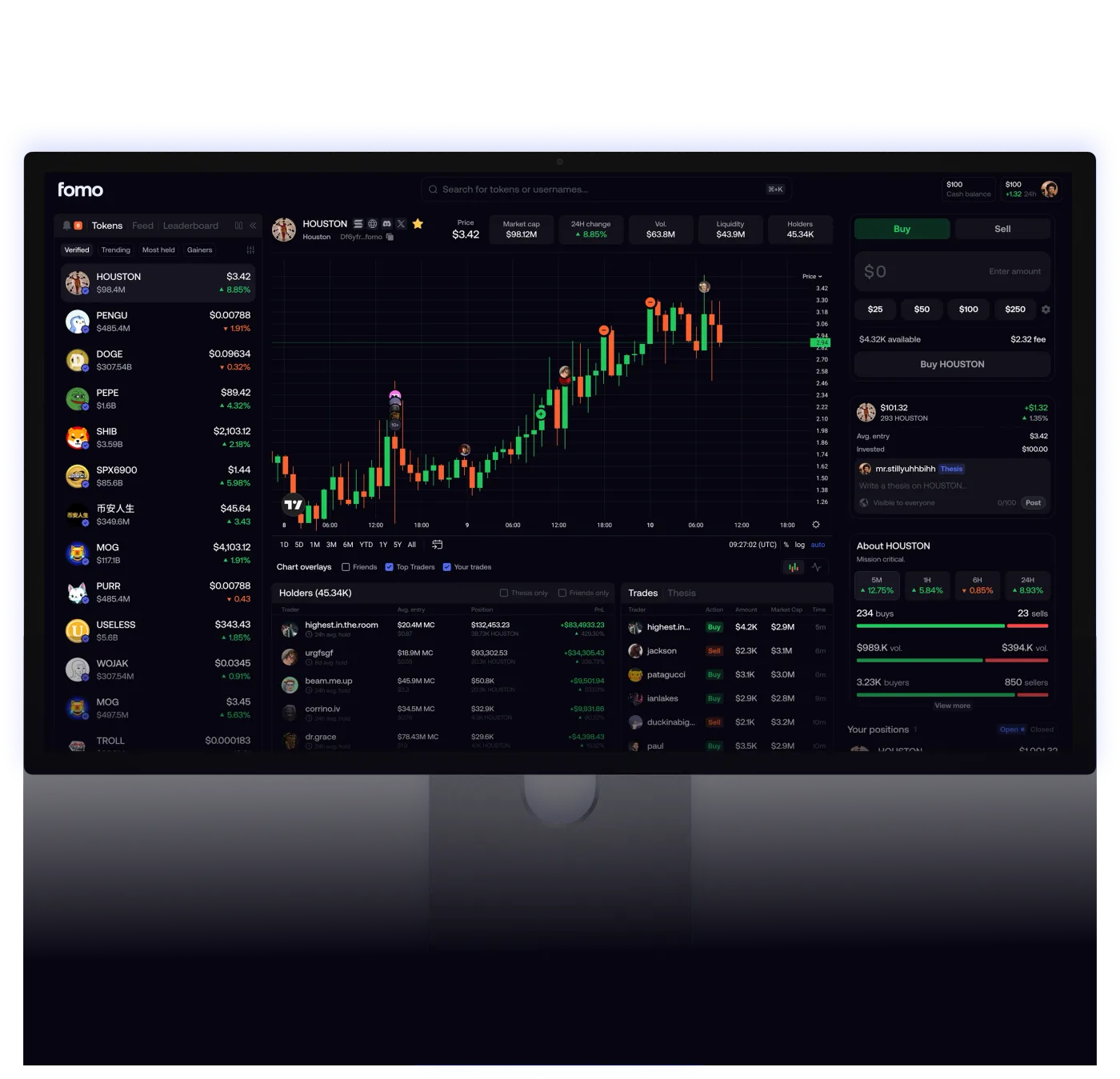
Source: fomo, official product image
The deposit step is where most first attempts stall, because a card payment is the one part of this that fomo does not run itself.
If your card is the route in, how to add a card or use Apple Pay walks through the provider behind it, the limits it applies and what the payment costs on top of the trading fee.
That is the whole spot-trading loop. Most people go looking for the social side next. If you want to know what following other traders does in practice, and where the feature works differently from what the word "copy trading" suggests, that's the guide to read after this one.
Which habit actually saves you money?
Check the fee line on every order before you tap confirm, especially on small trades. fomo's help center prices  Solana orders in four bands by size (help.fomo.family, checked 2026-08-20), so a $10 buy pays the 2% band and a $50 buy pays a flat 0.95 USDC, which is 1.90%.
Neither is the 0.50% headline, which starts at 190 USDC. See fomo Fees Explained for the full breakdown with every scenario worked out.
Trading is not the same as investing
The social feed makes it easy to buy something because you saw someone else buying it. That's a practical risk, not a hypothetical one, and there is research on how it tends to go: DWF Ventures found about 6.16% of roughly 292,000 fomo wallets were profitable over 90 days on realized gains, which we cover in following fomo's top traders. A buy button two taps away, sitting next to a stream of other people's trades, removes most of the pause that would otherwise sit between seeing a token and owning it. Take the extra ten seconds to look at what you're actually buying.
Should I set up perps?
fomo's app also gives access to perpetual futures, which are leveraged and settle on outside venues rather than at fomo. Its terms of service put it this way: "Perps accessible through the Services are offered, operated, matched, and settled entirely by independent, third-party decentralized protocols. Fomo does not operate, control, intermediate, custody, or settle Perps trading." Reporting on fomo's builder-code setup points to  Hyperliquid as the venue behind the crypto perps.
Whether you should is a separate question. This is a riskier product than spot trading, it carries a fee on top of the venue's own fee, and fomo's terms state that "Perps functionality is not available to U.S. Persons." If you're new to trading, spot trades are the place to get comfortable first. When you're ready, our trading features guide covers how the perps route works and what it costs.
Ready to get started?
Sign up through our link and get a 10% discount on trading fees per fomo's referral terms, from your first trade.
Get the fomo appWhat should I read next?
- fomo Fees Explained has the complete, worked-out fee math
- Is fomo Safe? Wallet Security Explained covers what fomo publishes about key handling
- fomo vs Moonshot compares it to the other big mobile trading app
- When a trade or sell will not go through covers warning labels, the $2 sell floor and honeypot contracts
Frequently Asked Questions
No. You can fund the wallet with Apple Pay or a debit card and buy your first token from there. The payment itself runs through payment processors and card networks rather than through fomo directly, so your bank or card issuer may treat it the way it treats other card purchases.
fomo's help center describes your private key as split into multiple shares distributed so that no single party, fomo included, holds enough to reconstruct it, rather than stored as one seed phrase. Account access works through the login you created, email or a social account. Our security guide covers what fomo's terms say changes if you export the key to move funds elsewhere.
fomo does not publish a fixed minimum trade size for buying, though its help center says a position worth under 2 dollars cannot be sold through the app. On cost, per fomo's help center at help.fomo.family, checked 2026-08-20, Solana orders are priced in four bands by size, so trading $20 or $30 at a time means paying the 2% band rather than the 0.50% headline. A $20 buy costs $0.40 and a $10 buy $0.20, both at 2%. Our fees guide works through the math at each size.
That depends on where you are and what you want to trade, and it is not a question this site can answer for you. fomo's terms of service state that 'Perps functionality is not available to U.S. Persons.' The app itself is listed on the US App Store under FOMO Labs, Inc. Which crypto products are lawfully available to a given person varies by country and by US state and changes over time, so read the current terms at fomo.family/terms and check with a qualified professional about your own situation before you rely on anything here.
FomoAppGuide is an independent, unofficial resource. It is not affiliated with, produced by, reviewed by, endorsed by, or sponsored by FOMO Labs, Inc., the company behind the fomo app. "fomo" and all related names, logos, and marks belong to their respective owners and are used here only to identify and comment on the products this site covers. For anything official, go to fomo.family. Full disclaimer.
Disclaimer: Nothing here is legal, tax, financial, or investment advice, and none of it is a recommendation to trade. Trading crypto carries real risk of total loss. Whether a product is lawful, how a trade is taxed, and what is available where all vary by jurisdiction and change over time. Check the primary sources, read the platform's own terms, and speak to a qualified professional before acting on anything you read on this site. Trading memecoins in particular involves substantial risk of loss, and most of them go to zero. Past performance is not indicative of future results. This site contains referral links: signing up through our referral link earns us a share of the trading fee you pay, at no extra cost to you, and gives you a permanent 10% discount on your own trading fee.
Ready to Start Trading?
Sign up to fomo through our link and your trading fee is permanently 0.45% instead of 0.50%.
Get 10% off fomo fees